
Want to know if you’re getting a free tablet under the Swami Vivekananda Yuva Sashaktikaran Yojana? There’s no public list of names you can search, and students don’t get a login. What the official website does give you is a Search Student Details page. It shows your own record, along with where your Aadhaar e-KYC stands.
Note: digishakti.info is an information site and has no connection with the UP government.
Check your DigiShakti status
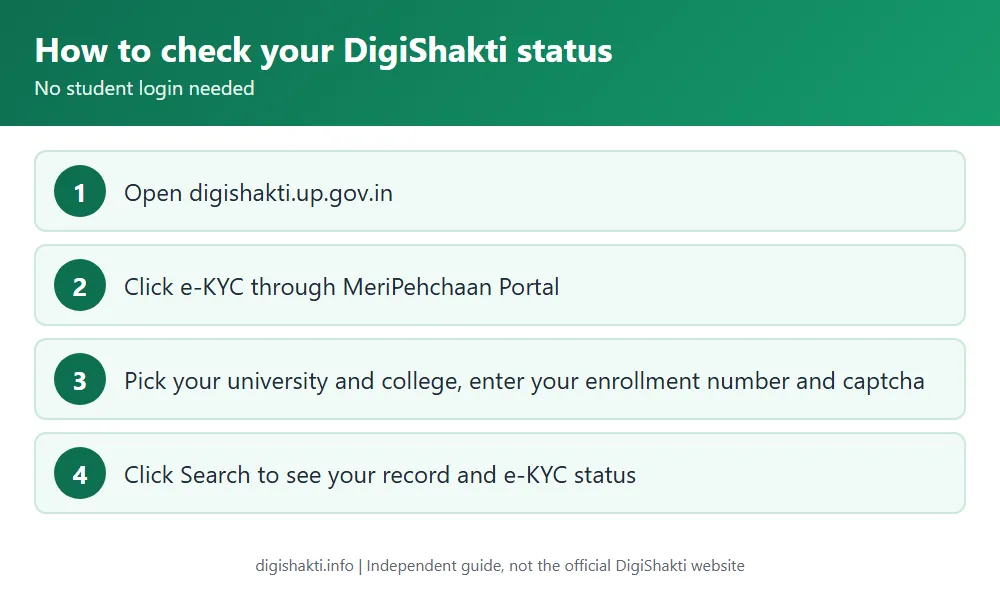
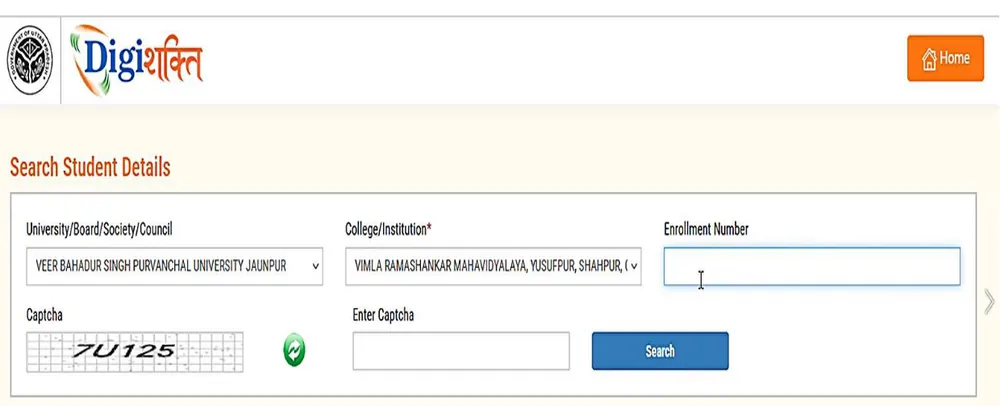
Open digishakti.up.gov.in and click e-KYC through MeriPehchaan Portal, which brings up the Search Student Details page. Choose your University/Board/Society/Council and your College/Institution, then type your Enrollment Number and the captcha. Hit Search, and your details appear with your Aadhaar e-KYC status next to them.
Because the e-KYC runs from that very page, a Pending status isn’t a dead end. You can finish it right there. Our DigiShakti e-KYC guide goes through every step.
What your status means
| You see | Meaning | Next step |
|---|---|---|
| Your details with status Pending | Your data is on the portal, but your Aadhaar e-KYC isn’t done. | Complete e-KYC through MeriPehchaan. |
| Your data verification is Under Process | Your institute uploaded your data, but the department hasn’t locked it yet. | Wait. Ask your institute’s nodal officer if it stays like this for long. |
| Verified | e-KYC is done. Your institute can now forward you to the district nodal officer for device selection. | Wait for SMS or a notice from your institute. |
| Failed | Name, gender or date of birth doesn’t match your Aadhaar. | Get it corrected through your institution nodal officer, or correct your Aadhaar. |
| Nothing found | Likely your data isn’t uploaded yet, or the university, college or enrollment number selected is wrong. | Check your selections, then ask your college. |
Is there a DigiShakti student list PDF?
No, the official site doesn’t put out a state-wide list of student names. You get onto the portal through your institute and nowhere else. The institute uploads and checks your data, your university approves it, and then the department locks it. Each college can see its own students on the portal, which makes your college nodal officer the right person to ask whether you’re on it.
The PDFs the site does publish are the government orders for the scheme. We’ve gathered them on our tablet list and government orders page.
Is there a DigiShakti student login?
There isn’t. The official student corner is clear that no login ID gets created for students at any point, and that students don’t need to register or apply anywhere. The logins you may have heard about belong to universities, boards, colleges, district nodal officers, UPDESCO and other bodies the government authorises. Theirs are created for them and sent to their registered mobile number and email.
So treat any website offering a DigiShakti student login, a tablet registration or a fee with suspicion. It isn’t official.
When will I get my tablet?
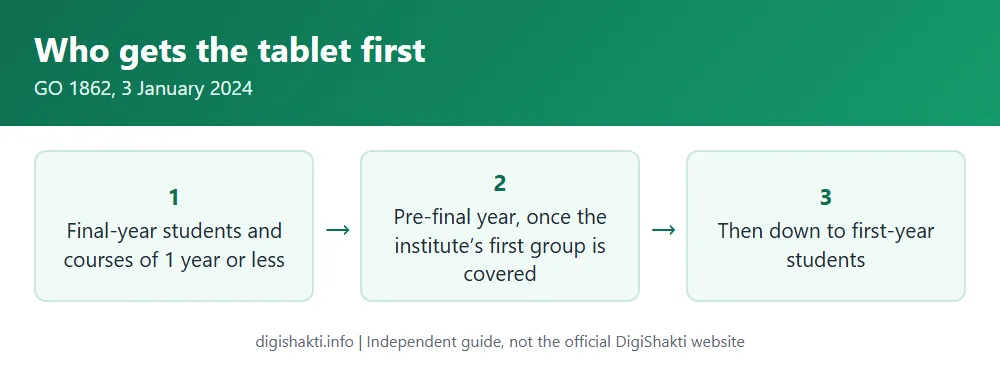
We can’t give you a date, and nor can the official site, because it doesn’t publish one. What it does publish is the order in which students are covered, set by the government order of 3 January 2024. Final-year students come first, together with students on courses of a year or less. Once every first-priority student at an institute is fully covered on the portal, the district can move to that institute’s pre-final-year students. Even then, it has to check that every institute in the district has covered its own first-priority students. After that, it works down year by year until it reaches first-year students.
You’ll get SMS updates about your device, and your institute will pass news on by email, notice or its website too. One change to keep in mind: since 25 July 2025, it’s been tablets only, no smartphones.
Common problems
If your name, gender or date of birth is wrong, tell your college nodal officer. Once it’s fixed, your data has to be verified, approved and locked all over again, and only then can you redo the e-KYC.
Already received a device in an earlier course? You won’t get a second one in a later course (GO 680, 22 August 2024). The same goes for anyone who got a device under another UP scheme, unless that earlier device came from a school education scheme.
Related guides
Sources: Student Corner and user manual on digishakti.up.gov.in; GO 1862/77-1-2024 (3 Jan 2024), GO 680/77-1-2024 (22 Aug 2024), GO 463/77-1-2025 (25 Jul 2025). Checked 3 November 2026.