
Has the tablet or smartphone you got under the Swami Vivekananda Yuva Sashaktikaran Yojana stopped working? The place to take it is the maker’s service centre. Under the 2022 government order, the suppliers opened service centres district by district, and the official DigiShakti website keeps a separate list for each brand.
Note: digishakti.info is an information site, not a government website. These lists can change, so call before you go.
Find out which brand you have
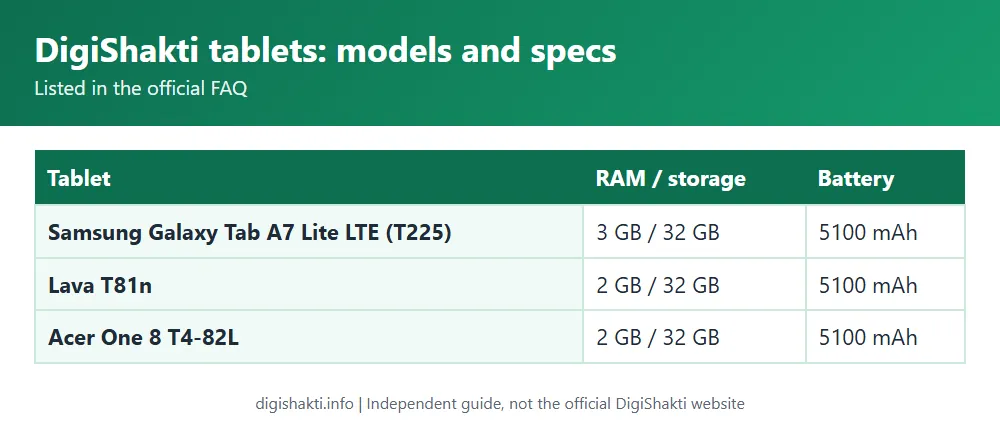
Scheme devices came from three makers, so start by working out which one is yours. Samsung supplied the Galaxy Tab A7 Lite LTE tablet and the Galaxy A03/A03s phone. Lava supplied the T81n tablet and the Z3 phone. Acer’s was the Acer One 8 T4-82L tablet. Compare your device with those models.
Official helpline numbers
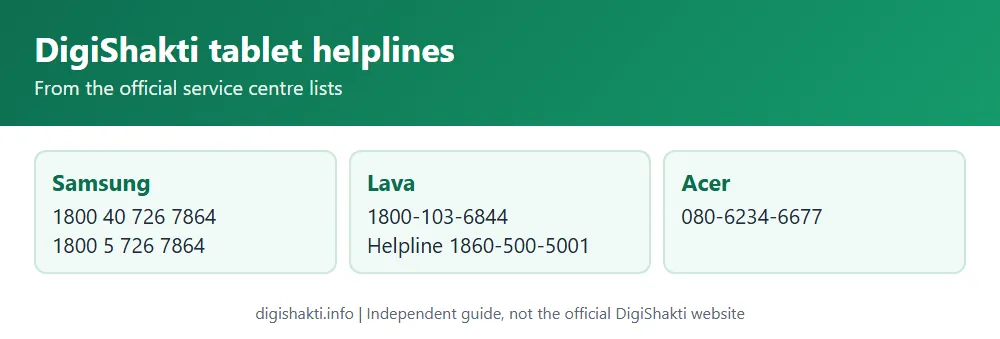
| Brand | Number on the official list |
|---|---|
| Samsung | Toll-free 1800 40 726 7864 and 1800 5 726 7864 |
| Lava | Toll-free 1800-103-6844, helpline 1860-500-5001 |
| Acer | 080-6234-6677 (shown as toll-free on the official page) |
District service centre lists
For the full details of each district’s centre (name, address, PIN code, phone and email), go to the official lists:
- Samsung service centres
- Lava service centres, covering about 70 districts
- Acer service centres, covering about 33 districts
Lava’s list takes in Lucknow, Kanpur Nagar, Prayagraj, Varanasi, Gorakhpur, Agra, Meerut, Bareilly and most other districts. Acer’s is shorter but still includes Aligarh, Ayodhya, Azamgarh, Ghazipur, Jhansi, Kanpur Nagar and Lakhimpur Kheri, among others. In a few places two districts share one centre, such as Mathura-Hathras and Mirzapur-Bhadohi on the Acer list.
What to take with you
The official site doesn’t say what to bring, so this is just common sense. Take the device and its charger, any papers you were given with it at your institute, and your college ID card. The site doesn’t mention a warranty period either, so ask the centre whether your repair is covered before they start.
If the device is lost or stolen
Every scheme device is enrolled in mobile device management. The official FAQ says a device can be locked remotely once the user reports it stolen, but it doesn’t say who to report it to. Your institute’s nodal officer is the sensible first stop. File a police report as well, just as you would for any stolen phone.
Related guides
Sources: Tablet/Mobile Service Center pages (Samsung, Acer, Lava), FAQ and GO 975 (18 Jul 2022) on digishakti.up.gov.in. Checked 3 November 2026.